

UX and UI design · Guide
The layer between people and the software they use
A user interface (UI) is the point where a person and a digital product meet: the screens, buttons, inputs and feedback someone uses to get something done. The main types are graphical, command-line, voice, touchscreen, AR and VR. Good UI makes a task fast and obvious. Poor UI adds friction that costs sales and staff time.
What is a user interface (UI)?
Most people can point to a UI they've struggled with, whether that's a checkout that loses their cart or an internal tool nobody wants to open. The frustration is rarely the technology itself; it's an interface that was never designed around the person using it. This guide goes further into what actually makes an interface work: the frameworks designers use to judge it, the process behind building one properly, and what good UI is worth to a business in hard numbers, not just aesthetics.
User interfaces are how people interact with products - encompassing all visual and informational elements and navigational and organisational features. A website would be blank without a user interface - as it is the surface layer through which users communicate with hardware or software.
The field of UI design focuses on crafting a positive user experience (UX) through the best combination of aesthetic and functional elements. Good UI design is essential for a positive user experience, and it involves crafting an app's visual and interactive aspects, including colours, text, buttons and animations.
UI design is not the same as UX design, which is more about the broader aspects of product development. UI design focuses on strategic choices in layout, such as logo placement and buttons, to ensure visual coherence and an engaging interface.
The industrial field of human-computer interaction (HCI) recognises the UI as the space for interactions between humans and machines. Today, most businesses recognise the importance of an excellent user interface in building customer loyalty and brand recognition. Users expect well-designed products, and good UI design draws in visitors and retains customers while facilitating interactions between users and businesses.
UI designers are responsible for the product's look and feel, from colour schemes to typography. They anticipate user preferences and create an interface that understands and fulfils them. UI design doesn't just focus on aesthetics but maximises responsiveness, efficiency and accessibility of the website.
Key takeaways
- The definition: a UI is the surface layer of visual, informational and navigational elements through which people communicate with hardware or software.
- The main types: graphical (GUI), command-line (CLI), voice (VUI), touchscreen, augmented reality (AR) and virtual reality (VR), plus menu-driven, form-based and natural language interfaces.
- The core elements: input controls, navigational components, informational components and containers.
- UI vs UX: UI is the look, feel and interaction quality of a product. UX is the broader research, journey and satisfaction around it.
- Why it matters: good UI shows up in numbers a business already tracks: conversions, completed forms, support calls and training time.
- The principles: consistency, simplicity, visibility, feedback and flexibility, judged against Peter Morville's seven-facet UX honeycomb.
Table of contents
- What is a User Interface (UI): Types & Examples
- Importance of UI in technology and everyday life
- Evolution of UIs over time
- Understanding User Interface: Meaning and Definition
- Importance of User Interface Design
- How good UI design drives business outcomes
- Critical Principles of UI Design
- The UX honeycomb: what makes an interface truly user-centred
- What does the UI design process actually look like?
- The future of User Interfaces
- UI in enterprise software, intranets and business systems
- The takeaway
- Frequently Asked Questions
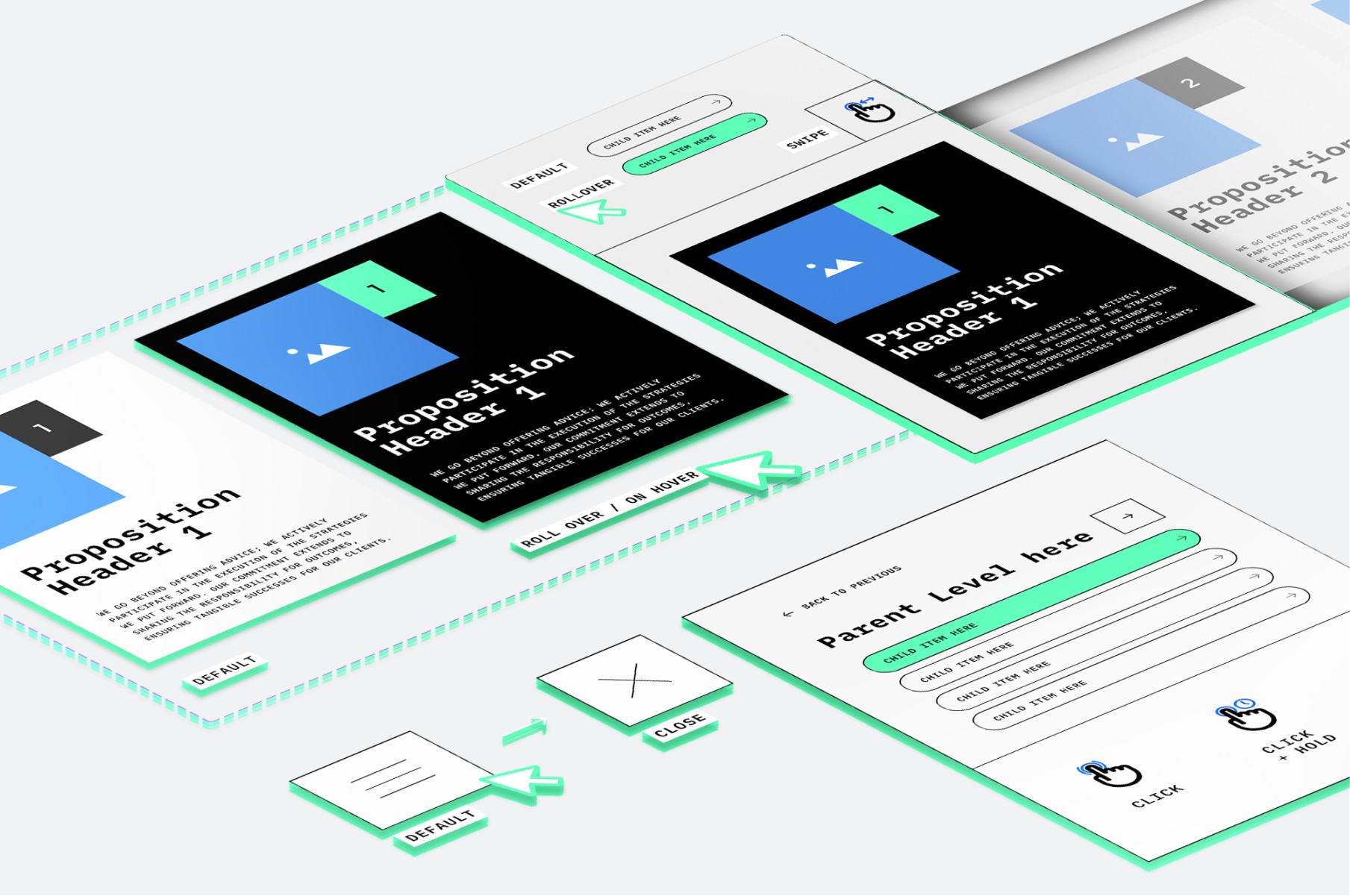
Importance of UI in technology and everyday life
Daily, we interact with various appliances, vehicles, and public spaces with user-friendly interfaces. These interfaces make our interactions smoother and more efficient, whether a physical product or software application. The first impression of a product often sets the tone for the entire user experience.
In 2007, Apple revolutionised the industry by introducing a new and innovative UI concept that changed how users interacted with their devices. A good UI design helps to build customer loyalty and brand recognition, and customers now expect well-designed products. An excellent UI can make or break the success of a product, as it draws in visitors, retains customers, and facilitates interactions between users and businesses.
A good user interface (UI) is crucial for the success of any product or service. It can improve Search Engine Optimisation (SEO) efforts by increasing the average session duration metric, which is a factor that search engines use to rank websites. Moreover, a well-designed UI can help build brand loyalty and improve conversions. Essentially, good UI is essential for the success of any product or service.

Evolution of UIs over time
Computers have become an inescapable part of our lives. We live in an exciting era of evolving user interfaces and design, where everything from our clothes, accessories, and streets have merged into one central user interface. This is the age of ambient intelligence, where technology has become pervasive and omnipresent.
A Brief History: From Punch Cards to Touchscreens
Before the graphical interfaces in use today, computers relied on punched cards and command lines that demanded specialist knowledge just to operate. The shift began in the 1970s at Xerox's Palo Alto Research Center, where researchers first combined windows, icons, menus and a pointer into what became known as the WIMP model. Apple brought that thinking to a mass audience with the Macintosh in 1984, and Microsoft followed soon after with Windows, setting the template most interfaces still follow today. Each step solved the same problem: making complex systems usable by people with no interest in learning the machine's own language.

Understanding User Interface: Meaning and Definition
In the early days of computing there was little in the way of a user interface: a few buttons on an operator's console. Many computers took programs and data on punched cards prepared with keypunch machines.
In the context of technology and design, UI refers to the point at which human users interact with a computer. The user interface, commonly abbreviated as UI, encompasses all the elements of UI design. These include input controls, navigational components, informational components, and containers.
A user interface is a collection of elements that enable users to interact with a computer. It plays a crucial role in ensuring that users can easily navigate and utilise the features of a computer system.
What are the Core Elements of A UI?
A user interface is built from a small, recurring set of building blocks, and understanding them makes it easier to judge whether an interface is doing its job.
- Input controls let people give information to the system. Buttons, checkboxes, text fields and dropdowns all fall into this category.
- Navigational components help people move around. Search bars, menus, breadcrumbs and tabs guide the way.
- Informational components keep people updated. Progress bars, notifications, tooltips and error messages tell users what is happening.
- Containers group related content and controls together, so the interface reads as organised rather than cluttered.
As the Interaction Design Foundation puts it, UI design is the process of building interfaces that focus on look, style and how each element behaves, with the goal of making the interface feel invisible so people can focus on the task rather than the screen. Our own breakdown of UI elements goes further into how each of these choices plays out in practice.
Types of User Interfaces
There are many types of User Interfaces utilised for different reasons and in various contexts, including:
- Graphical User Interfaces (GUI): utilises graphical elements like icons and windows to facilitate interaction, commonly found in operating systems and applications.
- Command-Line Interfaces (CLI): Relies on text-based commands for user interaction, often used by developers and system administrators for precise control over operations.
- Voice User Interfaces (VUI): Enables interaction through spoken commands and responses, popularised by virtual assistants like Siri and Alexa.
- Touchscreen User Interfaces: Allows users to interact with devices through touch gestures, prevalent in smartphones, tablets, and interactive kiosks.
- Augmented Reality (AR) User Interfaces: Integrates virtual elements into the natural environment, commonly seen in AR apps for navigation, gaming, and education.
- Virtual Reality (VR) User Interfaces: Creates immersive virtual environments for user interaction, utilised in VR gaming, simulations, and training programs.
A Few More UI Types Worth Knowing
Beyond the core types above, a few other interface styles show up regularly:
- Menu-driven interfaces guide users through a structured set of options, the model behind most online shopping and self-service kiosks.
- Form-based interfaces use structured fields, checkboxes and dropdowns to capture information, common in enterprise software and government portals.
- Natural language interfaces interpret everyday language rather than fixed commands, powering tools like Siri and Alexa in a more conversational way than a standard voice interface.
Examples of User Interfaces
User interfaces are how humans interact with machines. Examples of user interfaces include the computer mouse, remote control, virtual reality, ATMs, and speedometer. Websites like Airbnb and Dropbox show robust UI design that is user-focused, easy to operate, and enjoyable to use.
Some real-world examples of different types of user interfaces include:
- Graphical User Interface (GUI): Operating systems like Windows and macOS, smartphone applications. GUIs are operated by clicking on icons with a mouse or tapping on them with a finger.
- Command Line Interface (CLI): Command prompt or terminal on computers, programming interfaces. CLIs are operated by typing commands into a prompt or terminal.
- Voice User Interface (VUI): Voice assistants such as Siri, Alexa, and Google Assistant. VUIs are operated by speaking to a voice assistant.
- Touchscreen User Interface: Devices like smartphones, tablets, and ATMs. Touchscreen UIs are operated by tapping and swiping on the screen with a finger.
- Augmented Reality User Interface (AR UI): AR apps like Pokémon Go and Snapchat filters. AR UIs use a camera and screen to show an augmented reality view.
- Virtual Reality User Interface (VR UI): VR gaming consoles and VR training simulations. VR UIs are operated through a controller or by moving the head and body in a virtual environment.

Designing an interface that actually converts is a discipline, not a coat of paint. It's what our team does in Dapth's research-driven interface design for websites, apps and internal tools.
What is user interface design?
User interface design is the work of deciding how a digital product looks and behaves: the layout, controls, type, colour and the feedback people get when they act. The aim is an interface people can use without stopping to think about it. It sits inside user experience (UX) design, which covers the wider journey, research and needs.
Importance of User Interface Design
User Interface (UI) design plays a significant role in creating user-friendly experiences for digital products. A well-designed UI can enhance usability, user satisfaction, and customer retention, leading to competitive advantage, reduced costs, increased profits, and overall success of an app.
One of the main goals of UI design is to anticipate what users might need to do and ensure that the interface has elements that are easy to access. At the core of UI design lies the goal of providing exceptional User Experience (UX), which collaborates with UI. A well-designed UI makes navigation a breeze, keeps users happy, and ensures that your product stands out in the digital crowd.
UI and functionality are essential to creating the interaction between your brand and customers. A well-designed UI means that users can efficiently accomplish tasks within the app without getting perplexed. It is one of the most critical aspects of the software development process. It's the first impression most users will have of the interface and brand.
Overall, the success of an app relies on user engagement, and a well-designed UI not only attracts users initially but also keeps them engaged over time. UI focuses on aesthetics and plays an essential role in the success of any digital product.
Why is User Interface important?
User interface is a crucial aspect of any software, website, or application as it enables users to interact with them effectively. A well-designed UI should include contrasting visuals, clean design, and responsiveness. When designing a UI, it is essential to consider the users' expectations regarding accessibility, visual aesthetics, and ease of use. An optimal mix of compelling visuals and efficient responsiveness can improve a site's conversion rates as it anticipates and satisfies user needs.
There are several essential elements of great UI, including Information Architecture (IA), Interactive Design, and Visual design. UI focuses on the quality of the user's interaction with the product, while UX involves market research and identifying user needs. UI has more artistic design components that relate to the look and feel of the product, while UX focuses on identifying user needs.
User interface (UI) design combines elements of interaction design, visual design, and information architecture. The interface includes various components such as input controls, navigational components, informational components, and containers. A well-designed user interface can be compared to rolling out a red carpet for the user, making the experience more enjoyable and intuitive.
The process of creating a user interface (UI) involves designing the appearance and functionality of a website, program or app. This includes researching branding and design, adapting the interface to various devices, ensuring interactivity and animation, and putting the design into action. It's crucial to ensure that the UI design is user-friendly, visually attractive, and easy to navigate so that users can have a seamless experience.
Curious how your own product's interface measures up?
Dapth's Digital Advantage Assessment takes about 3 minutes, needs no login, and gives you a free personalised read on where your digital experience, UX and UI included, has the most room to grow. → Take the Digital Advantage Assessment
How good UI design drives business outcomes
The impact of UI design is measurable, not just aesthetic. It shows up in conversion rates, completed forms, support calls, training time and how often staff work around a system instead of using it.
That explains why organisations increasingly bring in digital transformation consultants rather than treating interface work as a late-stage visual pass. A UI decision made early in a project shapes conversion rates, training time and support costs for years afterwards, which makes it a business decision as much as a design one. Our piece on UI design for applications looks at how this plays out for internal, business-facing software rather than public websites.
If you're weighing up an interface for a customer portal, app or business system, our UX and UI design team starts with how your users actually work.
Critical Principles of UI Design
To create an effective user interface, certain fundamental principles need to be followed. These principles include consistency, simplicity, visibility, feedback, and flexibility.
Consistency means making sure that the user interfaces are as consistent as possible. This is achieved by using similar design patterns, identical terminology in prompts, homogenous menus and screens, and consistent commands throughout the interface.
Simplicity is also important. As Peep Laja says, "Your job is to build an interface that minimises the knowledge gap between what users know before coming to your site and what they must know to use it properly." Visibility refers to ensuring all the necessary information is visible to the user. Feedback is also important so that the user knows what is happening when they interact with the interface. Flexibility is not just about following a linear path but also involves knowing the customer and providing flexibility for different customer intents. This can be achieved by designing great solutions in all situations and using shortcuts that speed up user interaction.
According to Jakob Nielsen, it is essential to have an 'emergency exit' option that allows users to leave the unwanted state without going through an extended dialogue. This helps in instances when users choose system functions accidentally.
Additionally, the interface should support 'undo' and 'redo' functions that allow users to reverse actions easily when they feel they've made a mistake. This is closely related to Ben Shneiderman's golden rule for UI - 'supporting internal locus of control.' Furthermore, users spend most of their time on other sites, so Jakob's Law states that your site should work the same way as all the other sites they already know, making it familiar and easy to use.
The UX honeycomb: what makes an interface truly user-centred
Peter Morville's UX honeycomb is one of the most widely used frameworks for judging whether an interface is genuinely serving its users. It breaks user experience into seven overlapping qualities:
- Useful: does it solve a real problem?
- Usable: can people complete their task without friction?
- Desirable: does the visual design create the right impression?
- Findable: can users locate what they need?
- Accessible: can people with a range of abilities use it?
- Credible: does it earn the user's trust?
- Valuable: does it deliver value to both the user and the business?
An interface that hits usable and desirable but ignores findable or accessible still fails a meaningful share of its audience. Our guide to navigating UX and UI covers how these two disciplines divide the work of meeting all seven.
What does the UI design process actually look like?
Behind every polished interface is a structured process, not a single design pass:
- Understand the users. Research who will use the interface and what they are trying to achieve.
- Map the flow. Sketch how someone moves from one screen or step to the next before any visual design begins.
- Wireframe the structure. Lay out where each component sits, without colour or styling to distract from the logic.
- Design the components. Apply the visual system, typography and interaction detail.
- Prototype and test. Put a working version in front of real users and watch where they get stuck.
- Implement and iterate. Ship the interface, then keep refining it against real usage data.
Nielsen Norman Group's usability heuristics are a useful checklist to run against a design at every one of these stages, not just at the end. Our user flow charts guide covers step two in more detail, and our UX & UI Design Services team runs this full process for clients rather than treating it as a single deliverable.
The future of User Interfaces
There are many emerging trends and technologies shaping the future of User Interfaces (UIs). Potential advancements include Natural Language Processing (NLP) for more intuitive Voice User Interfaces (VUIs), gesture-based interfaces for Augmented Reality (AR) and Virtual Reality (VR), and the integration of Artificial Intelligence (AI) for personalised user experiences.
Wondering where friction is costing you conversions? Get a free Digital Advantage Assessment.
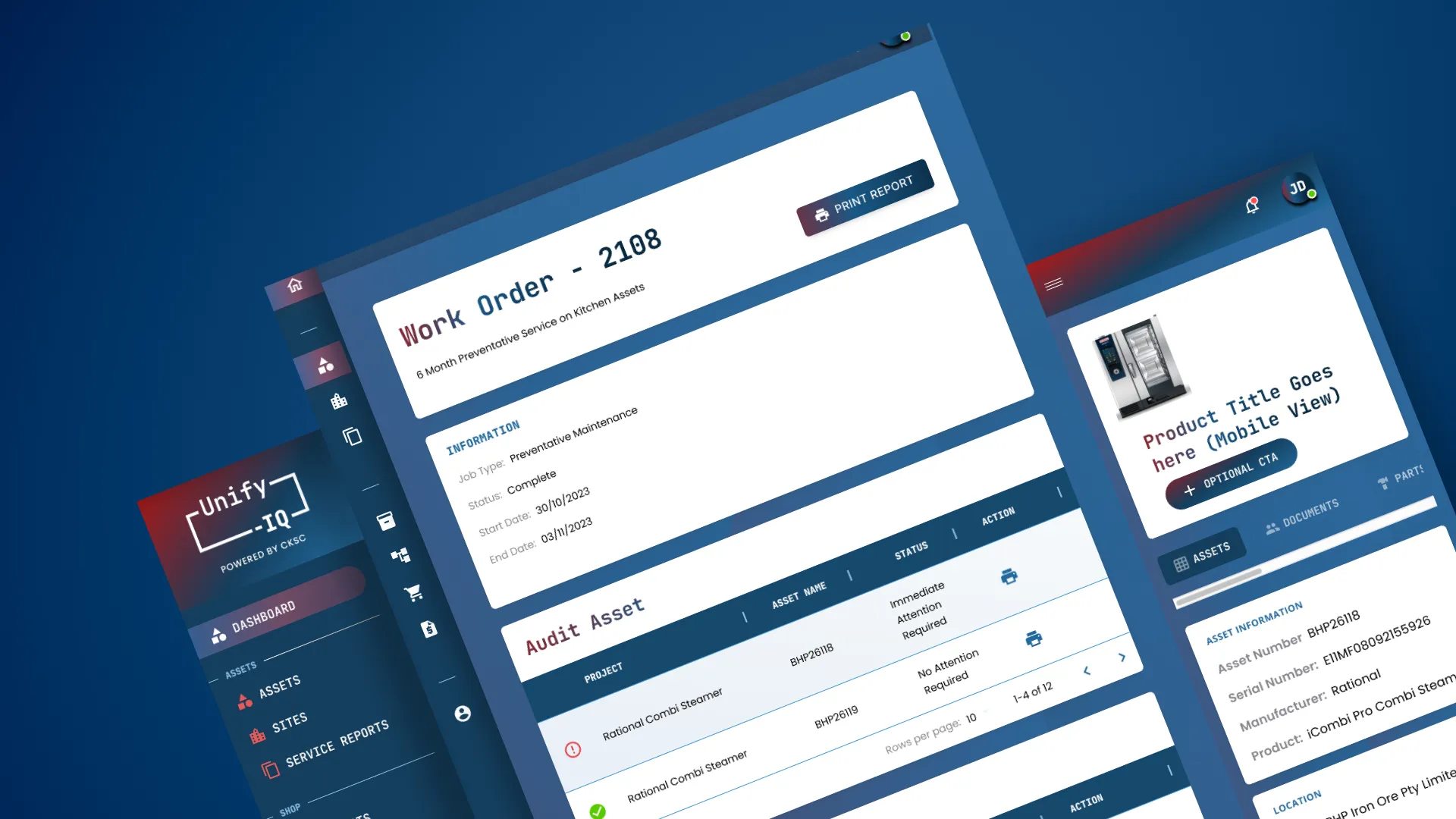
UI in enterprise software, intranets and business systems
Most conversations about UI focus on customer-facing products, but the same discipline matters just as much inside a business. Staff don't get to choose whether they use an intranet or a finance system the way a customer chooses a website, but a confusing interface still carries a cost: longer onboarding, more errors, and staff who quietly build their own workarounds rather than use the system properly. Our piece on custom-built intranets covers this in more depth.
At Dapth, that discipline runs across every type of build we deliver. A public website built on Xperience by Kentico needs the same attention to navigation and clarity as an internal tool. A mobile product built through app development has to work within the tighter constraints of a smaller screen. A broader platform delivered by our software development company needs an interface that scales across teams and use cases. And for organisations already running on Microsoft tools, Microsoft SharePoint brings that same UI thinking to the systems staff use every day, not just the ones customers see.
The takeaway
In summary, user interfaces (UIs) are integral components of technology, serving as the conduit between users and digital products. Understanding what user interfaces entail, from their definition to various types and examples, illuminates their significance in modern technology. UI design encompasses consistency, simplicity, and visibility to ensure optimal usability and user satisfaction.
Emerging trends in UI design, including Natural Language Processing (NLP) and gesture-based interactions, shape the future of UIs, underscoring the importance of staying updated in this dynamic field. By prioritising user-centred design and leveraging innovative technologies, we can create UIs that meet user needs and elevate digital experiences to new heights.
Great UI is where research, visual craft and business goals meet. If you're moving from understanding UI to improving your own, Dapth's Perth team designs interfaces that are measured by engagement and conversion, not just how they look. See our UX & UI design services.
Not sure where to start? Take the 3-minute Digital Advantage Assessment for a free read on your biggest digital opportunity.
About Dapth
Dapth is your Perth digital consultancy, building connected digital systems from websites and intranets to applications, software, ERP and AI tools. For more than 15 years we have helped WA businesses, government agencies and organisations unlock advantages like streamlined workflows, increased efficiency, cost savings, new revenue and more powerful marketing.
We start with your organisation, not the technology: your users, your operations and your objectives. Then we connect everything across four areas:
- Digital Consultancy: Digital strategy, service design and UI and UX design that map how your customers, people and systems should work together, before anything is built.
- Customer Experience: Websites and digital experience platforms on Xperience by Kentico (Kentico Gold Partner), Sitefinity, Umbraco and Payload CMS, plus ecommerce.
- Employee Experience: Intranets and employee portals on Microsoft SharePoint, and workflow automation that takes the double handling out of everyday work.
- Operational Systems: ERP with Odoo as our primary platform (we are an Odoo partner), plus custom software, apps and the integrations that connect them.
Wondering whether your interface is quietly costing you customers through abandoned carts or unnecessary support calls? Dapth's team can help you find and fix the friction.
Talk to Dapth about your interfaceFrequently asked questions
What does UI stand for?
UI stands for user interface: the screens, controls and feedback a person uses to operate a device, website or app.
What is the difference between UI and UX?
UI is what people see and touch: layout, buttons, type and colour. UX is the whole experience around it: research, the journey, and whether the product meets the need. Our guide to <a href="/insights/navigating-ux-and-ui">navigating UX and UI</a> covers how the two work together.
How do user interfaces differ between operating systems?
Windows, macOS, iOS and Android each have their own design rules for menus, icons, gestures and system controls, so the same task can look and feel different. Good cross-platform design follows each platform's conventions where users expect them and keeps the brand consistent elsewhere.
What does a UI designer do?
A UI designer turns research and user flows into screens: they lay out components, set the visual system, design interactions and states such as errors and loading, and test the result with real users.
Does Dapth offer UI and UX design services in Perth?
Yes. Dapth's Perth team designs interfaces for websites, apps, intranets and business systems. See our <a href="/services/ux-ui-design-services">UX and UI design services</a>.
Related insights
DIGITAL ADVANTAGE ASSESSMENT
Where's your biggest digital opportunity?
Answer 10 questions and we'll identify your biggest digital opportunity, with a personalised report and a clear next step.
· Takes about 3 minutes · No login required · Free personalised report
Digital Advantage Assessment
Your results are ready
Where would you like us to send your report?
We'll send a personalised breakdown of your results and clear next steps — no spam, ever.
Your Digital Advantage Report
Estimated Annual Cost of Manual Admin
Your Digital Capability
Higher scores indicate stronger digital capability today. Lower scores highlight where the greatest business value can be unlocked.
Where to focus first
Author



-Large.jpeg)


_web.webp)
-Large.jpeg)

-Large.jpeg)
-Large.jpeg)
-Large.jpeg)

-Large.jpeg)

-Large.jpeg)